

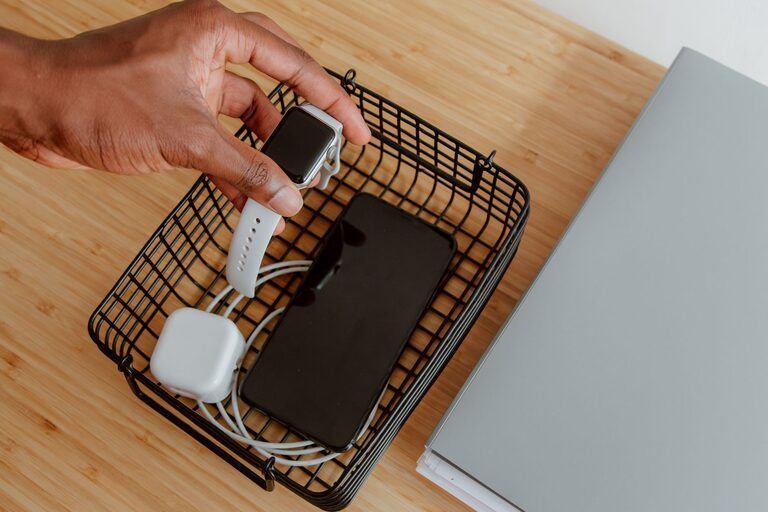
Setting up a dedicated charging station for your devices can simplify your daily routine and keep your gadgets powered up and organised. Whether you have smartphones, tablets, smartwatches, or wireless earbuds, a well-planned charging station reduces clutter and helps you keep track of your devices. This guide will walk you through everything you need to know to create your own efficient charging hub at home.
Why Set Up a Charging Station?
In today’s world, most of us rely on multiple electronic devices that need to be charged regularly. Without a dedicated space, chargers and cables can quickly become tangled and misplaced, causing frustration and wasted time.
A charging station provides:
– A centralised spot for all your devices
– Reduced cable clutter and mess
– Easier access to fully charged devices
– A safer environment by preventing overloaded sockets
Now, let’s explore how to set up your charging station step-by-step.
Choosing the Right Location
The first step is to find a suitable spot for your charging station. Consider the following:
– Accessibility: Choose a location that’s easy to reach, such as a side table in the living room, a desk, or a kitchen counter.
– Power Source: Ensure there are enough power sockets nearby or use a surge-protected power strip.
– Ventilation: Devices can get warm while charging, so pick an area with good airflow.
– Size: Consider how many devices you need to charge regularly to determine the space needed.
Selecting Your Charging Equipment
The next step is to gather the necessary charging tools. Here’s what you should consider:
Charging Hub or Power Strip
– Multi-port USB chargers: These come with several USB ports and can charge multiple devices at once.
– Power strips: Look for strips with built-in USB ports for convenience.
– Surge protection: Choose chargers or strips with surge protection to safeguard your devices.
Charging Cables and Stands
– Use cables compatible with your devices (USB-C, Lightning, Micro-USB).
– Consider cable length to avoid excess slack.
– Charging stands or docks can hold your device upright, making it easier to monitor charging status.
Organising Cables and Devices
Cable management is essential for a neat charging station. Here are some tips:
– Cable clips or ties: Keep cables separated to prevent tangling.
– Label your cables: Helps identify which cable belongs to which device.
– Use a cable organiser box: Hide power strips and cables to reduce visual clutter.
– Velcro straps: Reusable and adjustable for bundling excess cable length.
Setting Up Your Charging Station
Follow these steps to put everything together:
- **Position your power source:** Plug your charger or strip into the power socket.
- **Arrange cables:** Connect charging cables to the charger/power strip.
- **Secure cables:** Use clips or ties to keep cables tidy and in place.
- **Place devices:** Set your devices on stands or designated spots to charge.
- **Add accessories:** You might include a small tray or basket for device cases, keys, or other items.
Consider Additional Features
To enhance your charging station, consider:
– Wireless charging pads: Ideal for compatible devices and reduce cable clutter.
– Smart plugs: Control the power supply via apps or voice assistants.
– LED indicators: To easily check which devices are charging.
– Portable battery packs: For charging devices when away from your station.
Maintaining Your Charging Station
Keeping your station organised requires occasional upkeep:
– Regularly check cables for wear and replace if damaged.
– Dust and clean the area to prevent debris buildup.
– Reassess your device list and upgrade chargers if needed.
Conclusion
A well-designed charging station can save time, reduce clutter, and keep your devices ready to go. By choosing the right location, equipment, and organisation methods, you can create a charging hub that fits your needs and lifestyle. With just a little effort, your charging station will become a simple yet essential part of your home setup.
Happy charging!